Keeping your data secure
Keeping your data secure
Taking care of what you do with your personal data securing is something which you should be aware of. There are measures that you can adopt in order to ensure that the personal data are not exposed and therefore kept secure.
Even though controllers and processors are legally obliged to adopt technical or organisational measures to protect individual’s data from any kind of unauthorised or unlawful processing, data subjects have been empowered by the GDPR to control who collects their personal data and under which purposes.
Data protection means keeping this information safe from being stolen, lost, damaged, or misused. It also means making sure you can recover your data if something goes wrong.
A little awareness goes a long way in keeping your personal information safe.
Personal data includes things like:
- Credit card numbers
- Bank account details
- Social Security numbers (SSN)
- Passwords
- Home address and phone number
- IP Addresses
- Vehicle Number plates
- E-mail addresses
Where Does Personal data exist?
Your personal information can exist:
Offline:
- Financial documents
- Insurance forms
- Bank statements
Online:
- Smartphones
- Laptops
- Cloud storage
- Social media
- Company databases
Therefore, before sharing information, ask yourself:
WHY? – Is the necessity to share my information;
WHO? – To know with whom you share your personal information;
WHEN? – Your personal data are stored securely and when such data will be deleted;
HOW? – To confirm that appropriate security measures with whom am I sharing are in place.
Below are some simple tips to help protect your personal information.
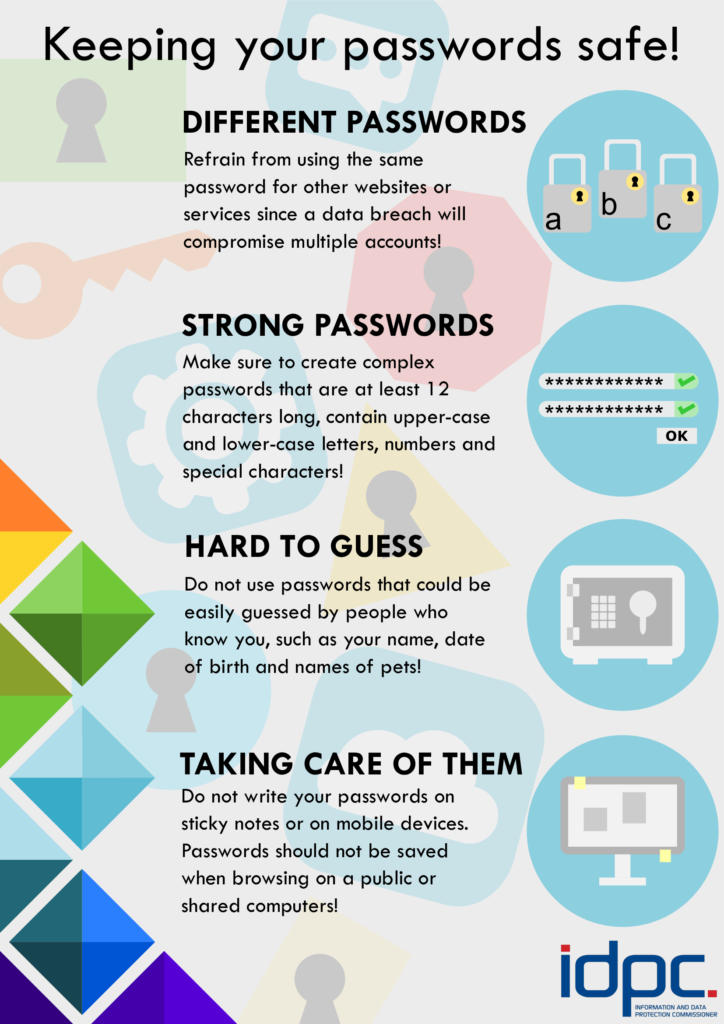
Use Strong Passwords
- Create long, unique passwords for every account.
- Don’t reuse the same password.
- Don’t write passwords on paper.
- Use a password manager to store them safely.
- Turn on multi-factor authentication (MFA) when available.
- Above all, do not share passwords with anyone.
Check App Privacy Settings
Many apps ask for more access than they need.
- Review app permissions.
- Turn off access to things like contacts, location, or microphone if not necessary.
- Disable analytics sharing if you don’t want usage data sent to manufacturers.
Use Firewalls and Antivirus Software
- A firewall blocks unauthorized access to your network.
- Antivirus software detects and removes harmful programs like viruses, ransomware, and spyware.
Most devices come with built-in security tools — make sure they’re turned on.
Back Up Your Data
Backing up means copying your files to another location in case something happens.
Backups are especially helpful if you experience ransomware or device failure.
Protect Devices from Theft
- Use encryption when possible.
- Lock your devices with a passcode or biometric login.
- Use tracking or anti-theft tools.
- Be careful when using devices in public places.
Always update
Updates fix security weaknesses.
- Install original operating system updates.
- Update apps regularly.
- Install security patches or updates.
Be Careful with Bluetooth
Bluetooth can be hacked if left on.
- Turn Bluetooth off when not in use.
- Don’t accept pairing requests from unknown devices.
Where possible, avoid Public Wi-Fi
Free or Public Wi-Fi can be unsafe.
- Don’t connect to unknown or unsecured networks.
- Use mobile data (4G/5G) if possible.
- Avoid logging into sensitive accounts, such as online banking on public Wi-Fi.
Watch Out for Scams and Phishing
Scammers often pretend to be trusted companies.
- Don’t click suspicious email links.
- Check the sender’s email address carefully.
- Never share passwords or personal details through email.
- Limit personal information shared on social media.
Check website authenticity
- The presence of the HTTPS (https://) extension at the beginning of the URL where the “s” stands for “secure” and indicates that the website uses encryption to protect your data;
- The presence of a padlock icon in the address bar;
- The URL is not spelled correctly even if almost identical to the spelling of the site you would like to visit
- Be aware if the website looks strange or if it asks for sensitive personal information
- Checking if when clicking on the padlock icon it is possible to view the Secure Sockets Layer (“SSL”) certificate details. This certificate verifies the website’s authenticity and ensures that your data is encrypted.
Remember : The fact that the padlock icon is present does not mean that the website is trustworthy. It is always recommended to click on the icon to ascertain that the website is secure.
Avoid sharing too much information online
Many hackers have successfully guessed passwords through trial-and-error methods, using combinations of common information (such as children's names, addresses, and other details) easily found on users' social media profiles, therefore it is advisable not to share or post:
- Personal Identification numbers
- Personal address
- Personal information about your schedule or routine
- Be considerate not to share any such information of your connections.
Sign Out
When ready from an online service, do not forget to sign out before leaving the app or website. Many times, by closing off the browser or switching to a different app is not enough with the consequence that your account and session may still be on.
From time to time, check your social media or e-mail service to check on which devices your sessions are still open.
Disposing of Personal Data
How to Safely Get Rid of Personal Data – Online
Simply deleting a file doesn’t fully remove it!
Better options:
- Use disk-wiping software.
- Use the manufacturer’s secure erase tool (especially for SSDs).
- Physically destroy old storage devices.
- Use a professional data destruction service.
How to Safely Get Rid of Personal Data – Offline
Personal information may not always be digital, it may come in other forms, such as bank statements, medical appointments, electricity bills, receipts and so on.
- Keep important documents in a locked drawer or safe.
- When disposing off personal documents, shred or tear as much as possible personal documents you no longer need.